How to Open Cdr, Cmx, Ai files without buying Illustrator or Corel Draw.

73
rate or flag this page
Facebook

By rodericktaylor

Opening CDR files in Inkscape

Using Inkscape - Open Source Software.

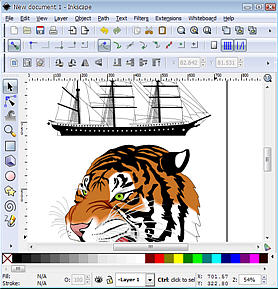
Inkscape is one of the best Vector Drawing programs available today and the fact that it is free does not detract from the quality of this program in any way. Inkscape is by far my favourite Illustration program.I am happy to say that the latest Beta release of Inkscape,allows you to open CDR files Corel Draw versions 7 to 14, Cmx - Corel Presentation files and Ai - Adobe Illustrator Files.

The latest Pre Release version 0.47-development is almost ready for final release. The download file is called 'Inkscape-0.47pre1-1.win32.exe' It is very stable and comes in the form of a self installing .exe file. You can download the file Here.

It is a good idea check http://www.inkscape.org and download the final release is when it is ready

Install the program from the exe file firts. Launch the program and when it opens up you can then Import a Corel Draw file. File > Import from the main menu.

Note: As this is a Beta release I suggest you IMPORT, rather than Open a file, just in case you corrupt the original file by accidentally saving over the top.

I successfully opened a Corel Draw file, saved it as an EPS file and then opened it in Adobe Illustrator, with no loss of data!
Not every file opened with all the colors, especially complex files with a mix of Bitmaps, shadows and Vector Drawing, but they all opened and allowed me to edit them, which is the main thing, and none of the Vector line work was lost at all.

Even though this is a pre-release version, I have found it to be quite stable and it must be closely approaching its final release date. Having said that it is still BETA software, so be a little bit forgiving if it crashes....oh and by the way it's free anyway.


This is a big deal for me , because I have been using Corel Draw for many years and have a huge amount of Corel Draw file, but lately I prefer to work in Inkscape, now I can access those files and all that Clip art without opening Corel Draw.......HAPPY DAYS.

I have written a new Hub about using the exiting new filters in this new release of Inkscape. You must read it, these new features are truly amazing.

If you want to learn more about Inkscape visit my dedicated website www.Inkscapetutorials.net for free training and download information.


Comments

chakradhar 2 years ago

Thank you!

It really helped me a lot ....

Salah 2 years ago

Thanks a whole lot for this article. I downloaded Inkscape, the latest stable release 0.46, and installed it. But when I try to open a corel draw cdr file (File > Import), it doesn't work. I tried to open up several files, all of them, don't open up in Inkscape. I get a failed error message each time.

I wonder what is the problem? Am I missing something? Do I need to install some additional software or plugin, in addition to Inkscape?

rodericktaylor profile image

rodericktaylor Hub Author 2 years ago

Yes You need to install the Pre-Release beta version which will really be 0.47. It is at the link in the article.The file is called Inkscape-0.47pre1-1.win32.exe I will add this the the article text.This release is very stable and has some great extras which aren't in the stable release 0.46 such as Corel Draw support and some amazing new Filters.

Salah 2 years ago

I installed the 0.47 pre-release and I was able to open corel draw files. Thanks a whole bunch.

Susan 2 years ago

I gave the process a try (with 0.47 pre-release), but without success. Error contained "UniConvertor failed" and "unrecognised file type". I have a bunch of "cdr" files from 1991 that I would love to convert to "eps". Tried it with several of them, with same result. Any ideas?

juan coleman 2 years ago

thanks a ton, this is so helpful especially considering my deadline! thanks to Inkscape too! really, really amazing!

al 2 years ago

I have the same problem as Susan, above.

Ant 2 years ago

I have a similar problem as Susan, above. CDR files do import, but mine has images and drawings, and it only imports the drawings when using version 0.47.

Marcello Romani 23 months ago

Hi, I was searching for a program to open som CMX clipart files and just found your blog.

Thank you for your tips!

Vivie 22 months ago

This is awesome! Open source rocks!

I got a new computer that has Windows 7, and I could no longer work with Illustrator 10 (it would open fine but my files opened in gray!), and more recent versions of Illustrator did not list support for Windows 7. None of the suggestions in forums worked. I have a deadline for a project, and was really stuck.

Then, I ran into your blog. I downloaded Inkscape and voila! I can work again. I am forever thankful!

Fabio Cordeiro 22 months ago

Hey, very good tip. I've already quit Inkscape, because I read in their site I had to use a complicated process to open the CDR files, I din't realize there was a version (although is beta) that could do this directly. I hope this works fine. Anyway, thank for sharing.

See ya.

suruchi 20 months ago

kamino sidhe sidhe nahi bata sakte how to open cdr files pereshan atma............. ha nahi to!!!!!!!!!!!!

laj34208 19 months ago

the link you posted above does not work. I think you may have meant it to end in .com, or it could by they took this one down. If you want to learn more about Inkscape visit my dedicated website www.Inkscapetutorials.net for free training and download information.

I was trying to find out if (and I know this will sound odd) I could save an to ai in Inkscape. you would think that being an adobe program, you would be able to do this from PhotoShop, but the index ai does not exist in CS4

inkscapefan profile image

inkscapefan 17 months ago

thnx for the link.. im also learning Inkscape. You can get tutorials i've written at inkscapefans.blogspot.com

cadz 17 months ago

it doest work on me huhuhuhuhu..

Aziz 15 months ago

Thanks a ton man .. im gonna try this right now ..

John 14 months ago

I believe support for CorelDraw, and other formats, comes from UniConvertor. This is bundled as part of Inkscape. You can read about it at http://sk1project.org/modules.php?name=Products&pr and you can see the roadmap for its development at http://sk1project.org/modules.php?name=Products&pr

bloodsong 12 months ago

oh thank goodness! i just installed my aged corel 5, and it wouldn't open its own CMX files! gawd. i've been using inkscape for a while, now, but haven't updated lately.

Enzo 9 months ago

This really works, but you have to check which versions of coreldraw files which it can open. I have files from Coreldraw X5, and my version of Inkspace can't open those.

Akhileshster 8 months ago

Tks 'Roderick' for refer. It's a good software and I could overcome my problem of opening AI files, instantly. I recommend the software for professional Graphics, as well.

JeniGG 5 months ago

Is this program capable of saving a cdr file as a jpeg image?

tate 6 weeks ago

i am working on mac, will that applicable in mac?

keren 2 weeks ago

mbah rika wis kaki-kaki tapi ilomune tesih seger bae yah ckckckck sip lah

Submit a Comment
Members and Guests

Sign in or sign up and post using a hubpages account.


    • No HTML is allowed in comments, but URLs will be hyperlinked
    • Comments are not for promoting your Hubs or other sites

    working